
Moving data out of Lotus Notes into SQL Server is something many tools can do. Our own Notes2SQL has done it for years. But what about the other direction? What if the data in SQL has been cleaned, enriched or changed, and it has to go back into a Notes database – with the right fields, the right data types, rich text, readers and authors, and the original document IDs?
As far as we know, nobody offered that. So we built it: SQLXtract, our SQL to Notes tool. It is the reverse of Notes2SQL and closes the loop between HCL Domino and SQL Server.
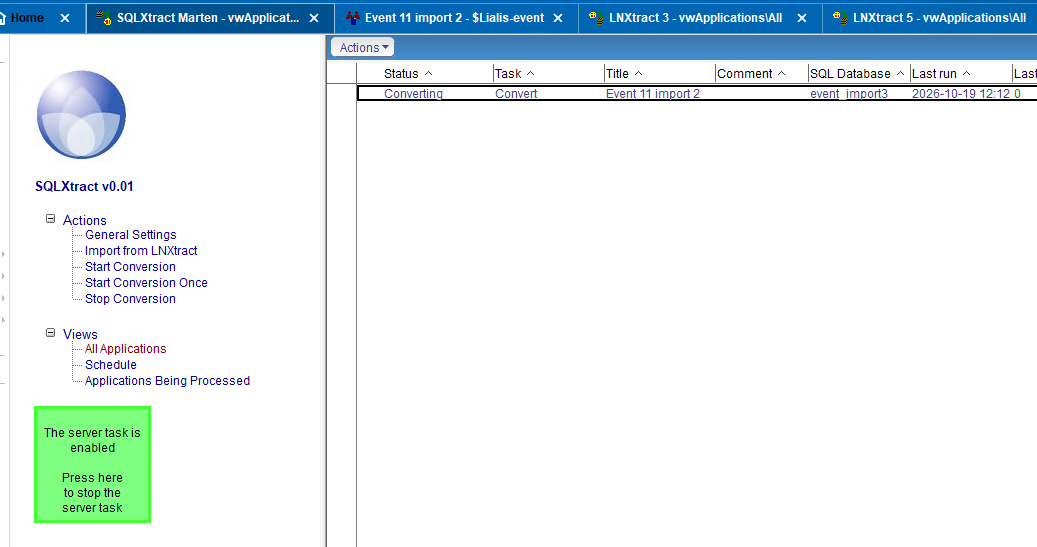
Why would you want SQL data back in Notes?
- SQL is the master during a migration. While a Notes application is being replaced, the data often lives in SQL first. Users who still work in Notes keep seeing up-to-date data.
- Data cleaned or enriched in SQL. Bulk corrections, deduplication, address cleaning or data from other systems are far easier in SQL. SQLXtract writes the result back into Notes.
- Rebuild or restore a Notes database. Archived Notes data in SQL can be turned back into a working NSF – with the same document IDs, so links and references keep working.
- Integration. Other systems write into SQL; Notes applications get the data on a schedule, without custom agents per application.
- Round trip. Notes → SQL with Notes2SQL, process in SQL, SQL → Notes with SQLXtract.
It starts with the field mapping from Notes2SQL
Writing data into Notes is only reliable when you know exactly which SQL column belongs to which Notes field, and what kind of field it is. That knowledge already exists: when Notes2SQL exports a Notes database, it builds a mapping of every form and field to SQL tables and columns.
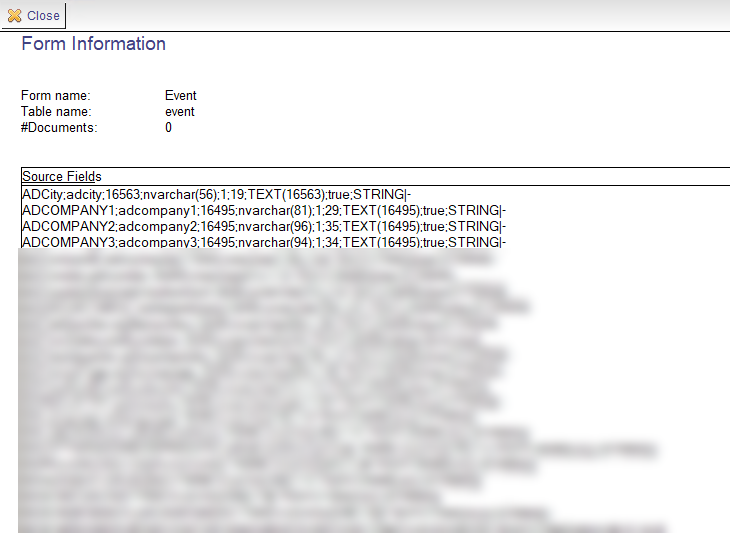
SQLXtract imports that mapping with one click (Import from LNXtract). Per form you get the full list of source fields: Notes field name, SQL column, Notes data type, SQL data type, whether the field is multi-value, rich text, or a names, readers or authors field. No manual mapping work, and no guessing about data types.
What SQLXtract does
- Inserts and updates Notes documents from SQL tables, per form.
- Keeps the original document IDs. The Notes UNID is stored in SQL during the export and used again when writing back, so existing documents are updated instead of duplicated, and doclinks keep working. The document ID can also come from a column of the SQL table.
- Only writes what changed. Items are compared before saving; unchanged documents are left alone. That keeps replication traffic and modification dates clean.
- Correct data types. Text, numbers, dates and multi-value fields are written as the type the Notes form expects.
- Rich text back into Notes – formatted text, images and attachments, restored from the MIME that Notes2SQL stored.
- Security fields stay security fields. Names, Readers and Authors fields get the proper item flags back, so document security in Notes works exactly as before.
- Force overwrite when you want SQL to win, regardless of what is in Notes.
Per application, per form, on a schedule
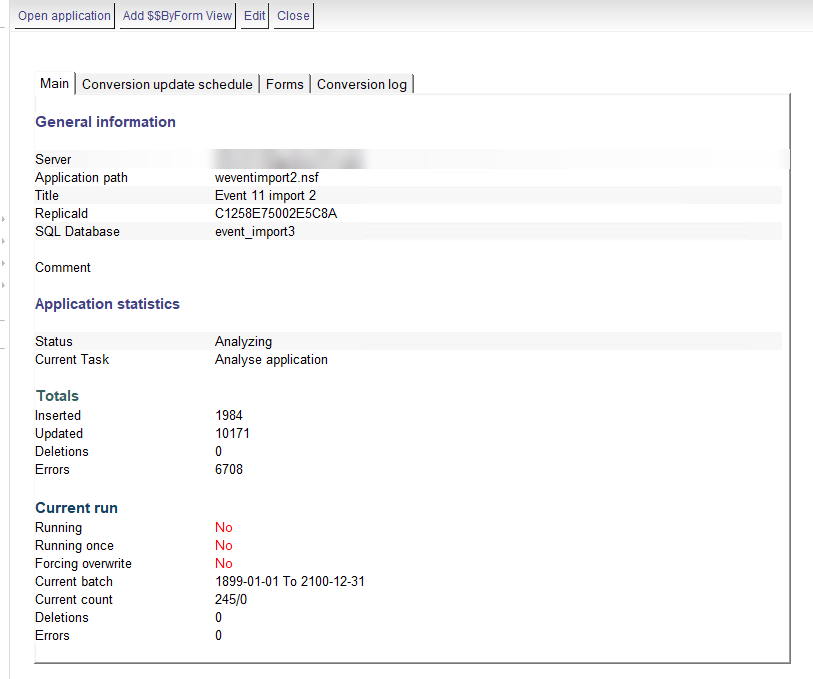
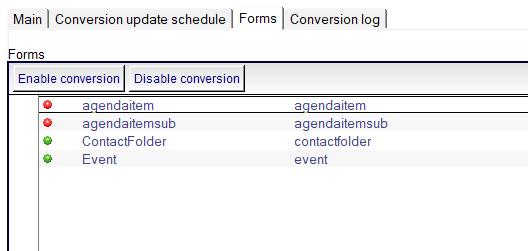
Every target Notes database is an application in SQLXtract: the Notes server and database path, the SQL database, and the forms that take part. Each form (SQL table) can be switched on or off separately, so you can start small and add forms later.
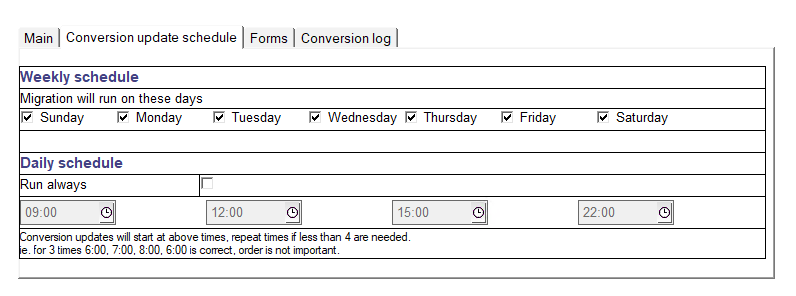
The conversion runs as a server task. Per application you choose the weekdays and up to four times a day, or let it run continuously. Need it right now? Start Conversion Once. And Stop Conversion stops it cleanly.
Full logging
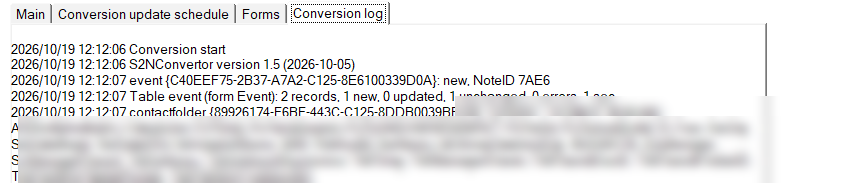
Every run is logged and the history is kept: how many documents were inserted, updated, deleted or failed, and how long it took. SQLXtract also reports fields that are in the mapping but missing in the SQL table – exactly the kind of difference you want to know about before users notice it.
Who is it for?
SQLXtract is for organisations that still run Notes/Domino applications and use SQL Server next to them: during a phased migration, for data quality projects, for integrations, or to bring archived Notes data back to life. It works best together with Notes2SQL, which provides the field mapping.
Frequently asked questions
Can I import SQL Server data into a Lotus Notes database?
Yes. SQLXtract writes SQL Server tables into Notes/Domino databases, per form, with the correct field types, rich text and security fields, on a schedule or on demand.
Do I need to map all fields by hand?
No. SQLXtract imports the field mapping that Notes2SQL created when the data was exported from Notes to SQL.
Are existing Notes documents duplicated?
No. SQLXtract uses the original Notes UNID to find the existing document and only updates items that changed. New rows become new documents.
Do Readers and Authors fields still work?
Yes. Names, Readers and Authors fields are written back with their item flags, so Notes document security keeps working.
Is rich text supported?
Yes. Rich text including images and attachments is restored from the MIME stored in SQL.
Interested?
SQLXtract is new and, as far as we know, unique. Want to see it working on your own Notes and SQL data? Contact us for a demo – we have been working with Notes and Domino since 2006.