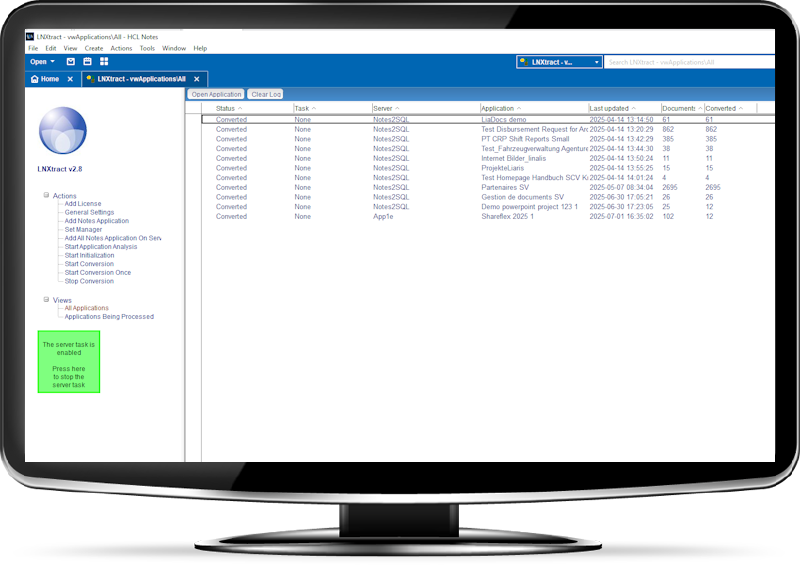



Lotus Notes app design analyses with AI What’s this Notes app even doing? The original developer is long gone, nobody has a clue, and now you’re
Overview
Notes rich text
Response Documents
SharePoint Collaboration and Versioning
Content Migration
Prerequisites
Overview
Solution Overview
Many IBM/HCL Domino environments rely on the standard templates Teamroom, Discussion – Notes & Web, and Doc Library – Notes & Web. These templates are widely used to store and manage large volumes of content for projects, departments, teams, and organizational processes. Over the years, they have become the foundation for structured collaboration, discussions, and document management within many companies.
However, replacing these databases with standard SharePoint Online functionality is not possible out of the box. Two core Domino capabilities are missing in native SharePoint:
Advanced Notes rich text content handling
Hierarchical response document structures
To address these challenges, Lialis developed a fully integrated SharePoint Online solution that functionally replaces all three Domino templates while preserving their core strengths.
Continue working in SharePoint the same way you did in Notes Teamrooms
Our solution allows end users to keep the familiar structured way of working they are used to in Domino, while moving to a modern Microsoft 365 platform — fully deployed within the client’s own Microsoft 365 tenant.
What our solution delivers
Full Teamroom, Discussion and Document Library replacement in SharePoint Online
Support for unlimited response-to-response hierarchies
Rich text handling including formatted content, attachments, and embedded files
Integrated document management with versioning and Microsoft 365 online editing
Built-in review and approval workflow
Private topics and controlled access per item
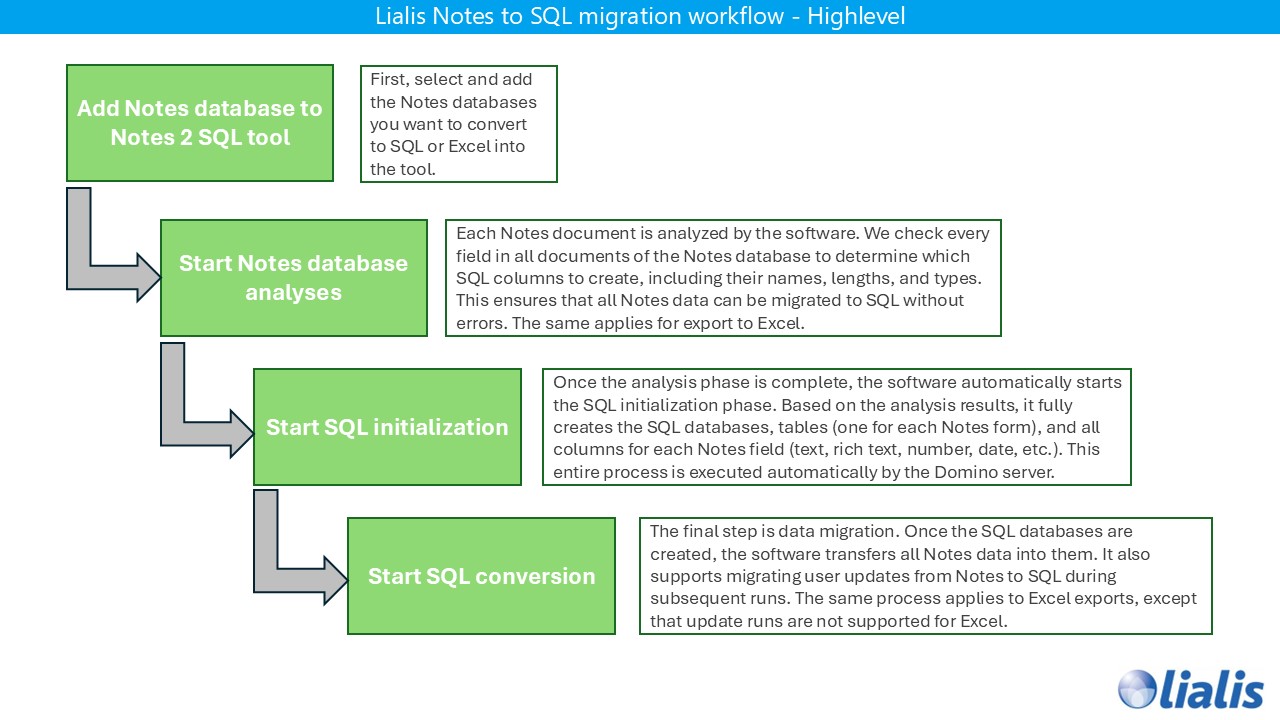
Automated Notes content migration using proven tooling Lialis Q2
The result is a modern Microsoft 365 collaboration workspace that maintains the structured power of Domino while leveraging native SharePoint and Shareflex capabilities.
Notes rich text
The power of Notes rich text fields
One of the most powerful features of a Lotus Notes Teamroom is its rich text capability. A single rich text field in Domino can contain formatted text, tables, embedded images, file attachments (Word, PDF and other documents), links, and even nested content — all stored inside one structured document.
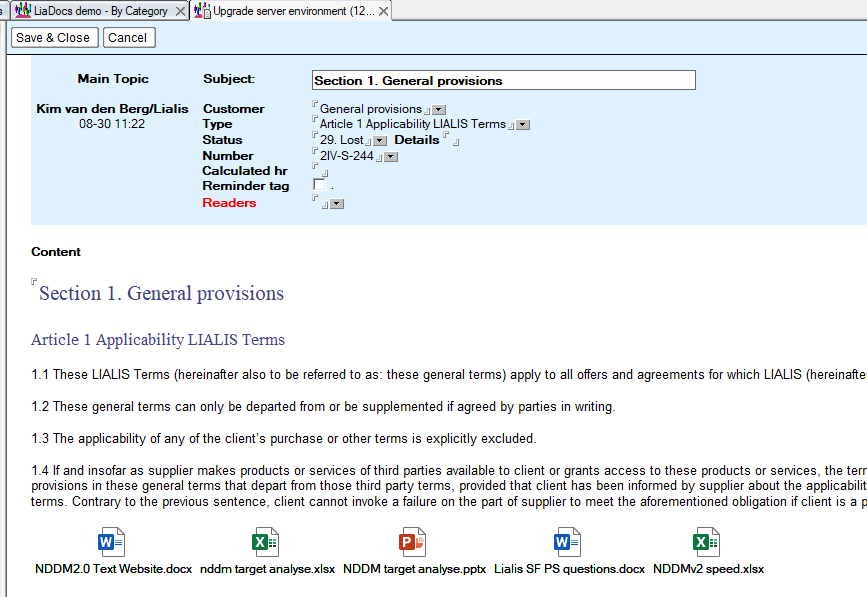
This flexibility is difficult to reproduce using standard SharePoint Online functionality. Native SharePoint separates content and documents, making it challenging to present text and attachments together in a single, structured and user-friendly way.
In earlier migration approaches, rich text content was split across Document Sets and metadata structures in SharePoint. While technically possible, this approach never matched the intuitive experience that Domino users were accustomed to.
Rich text in the Lialis SharePoint Teamroom
The Lialis SharePoint Teamroom was specifically designed to preserve the familiar Domino experience while leveraging Microsoft 365 capabilities. The solution displays the form title, category, rich text content and related documents together on one clear and structured page:
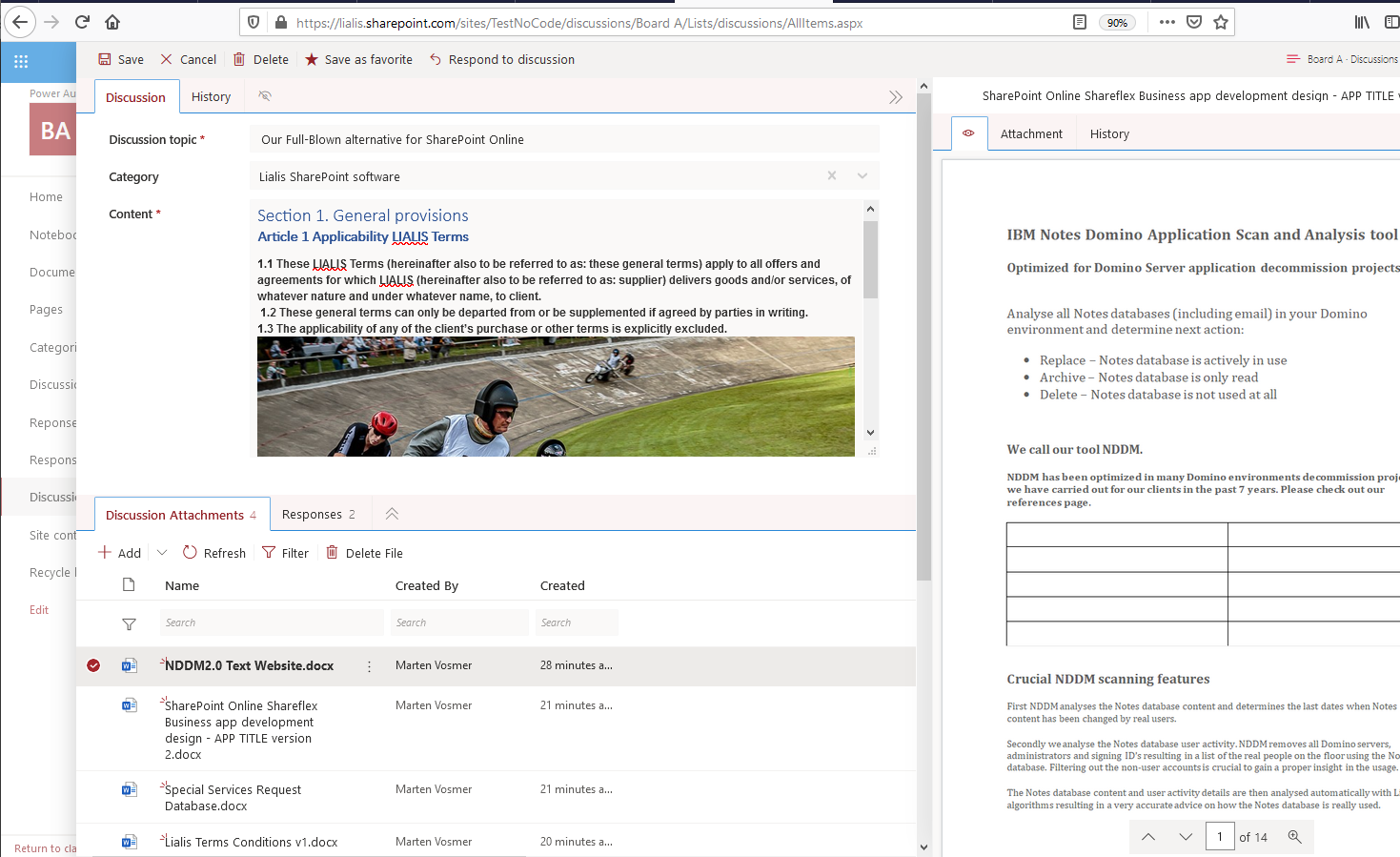
Users can edit the rich text content in a clean and intuitive editor that supports formatting, links, and structured content — without losing usability:
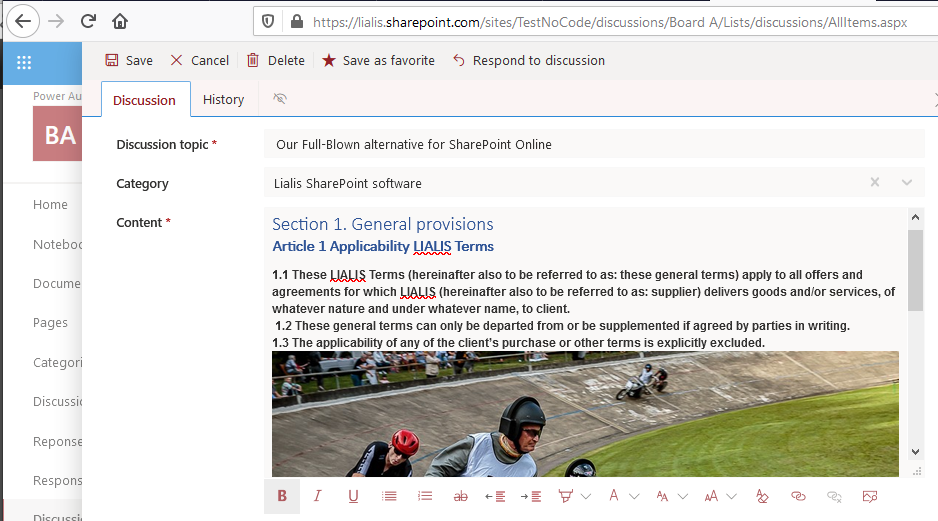
Attachments are handled in a dedicated section at the bottom of the page. Users can simply drag and drop files, rename them, or edit them directly in Microsoft 365: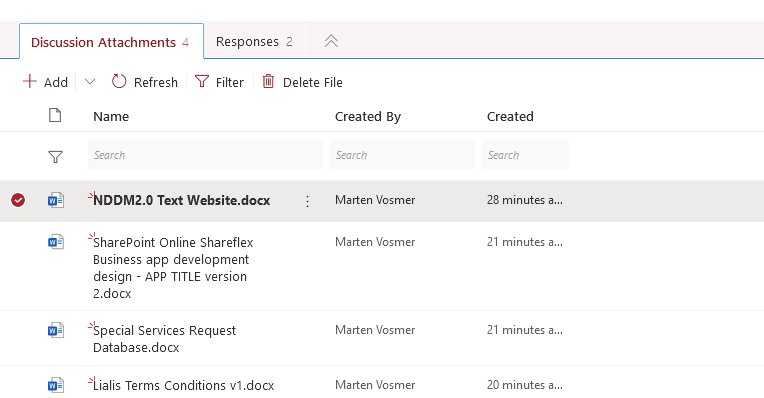
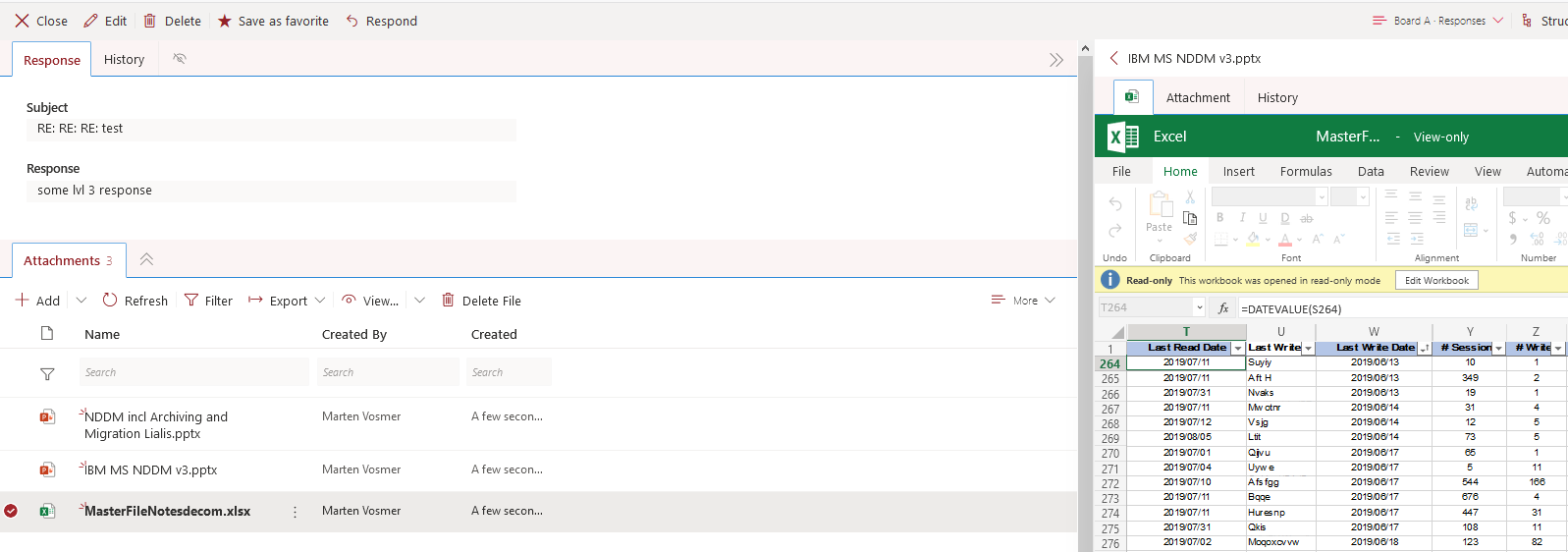
Clicking an attachment opens it directly in the Microsoft 365 online editor:
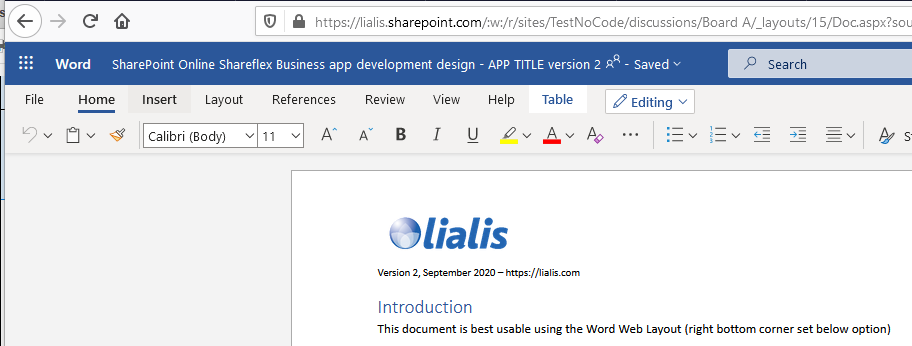
This approach combines the structured richness of Domino with the collaborative power of SharePoint and Microsoft 365 — without forcing users to change the way they work.
Response Documents
Response documents
Another core strength of Domino Teamrooms and Discussion databases is the ability to create structured response documents. In Domino, documents are not flat records — they exist in a hierarchical structure where responses belong to parent documents, and responses can again contain their own responses.
This parent-child architecture allows teams to maintain structured discussions, decisions, and project documentation in a logical and traceable way.
The Lialis SharePoint Teamroom fully supports this hierarchical model. The response structure is clearly displayed on the right side of the screen:
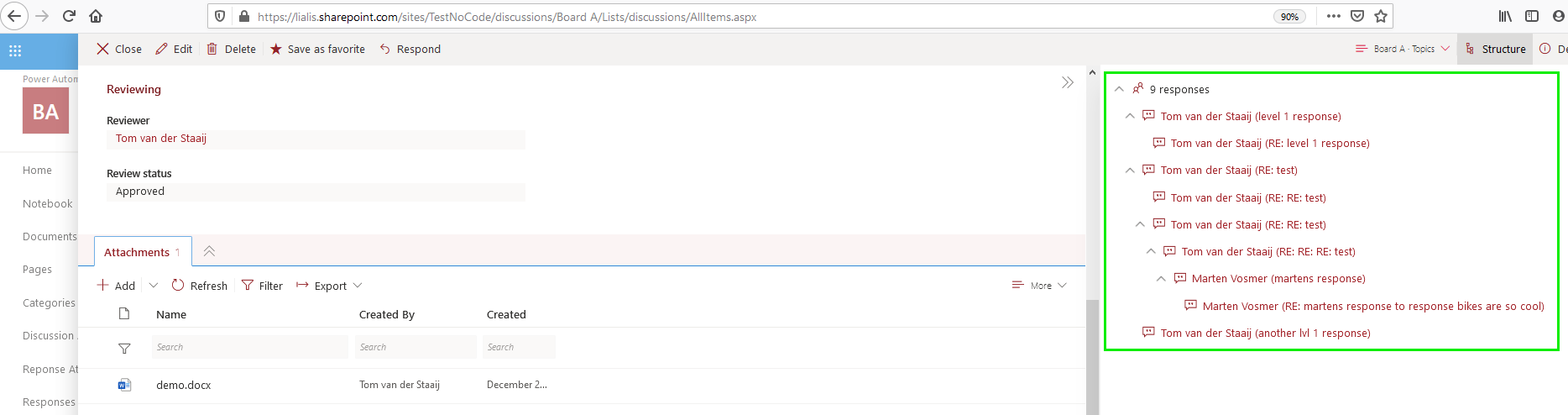
When a user selects a response document, it is intelligently overlaid on top of the previous parent or response document. This keeps the context visible and prevents users from losing track of their position in the hierarchy:
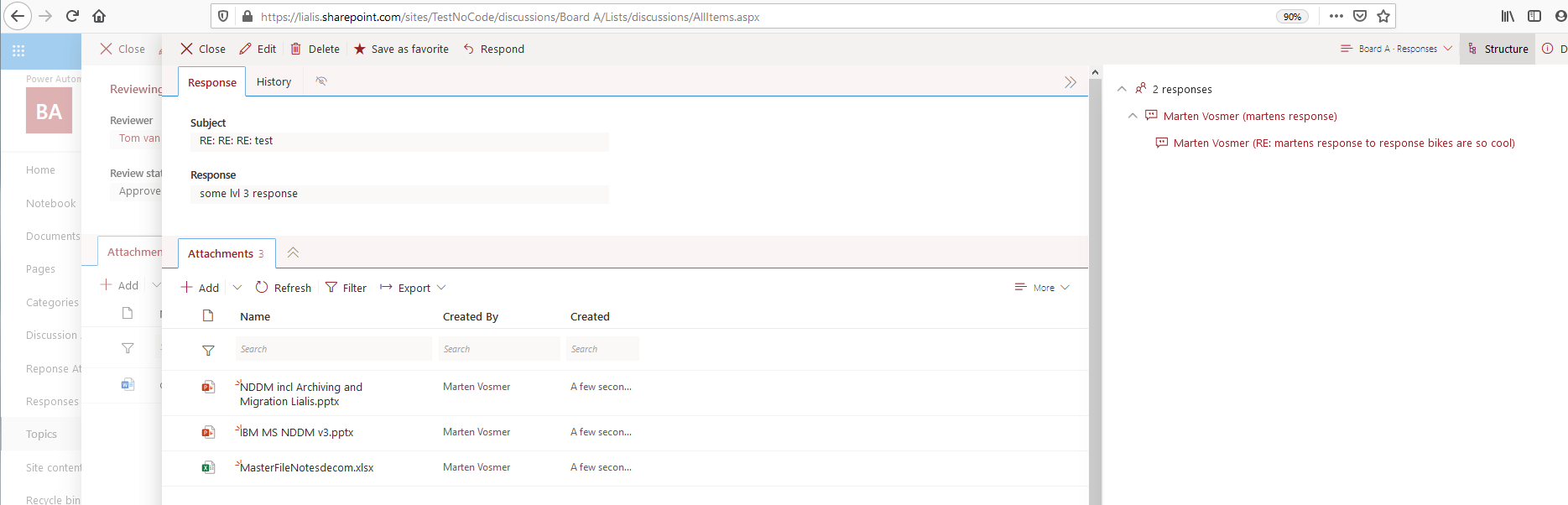
The response pane dynamically adjusts to show only the responses related to the currently displayed document:
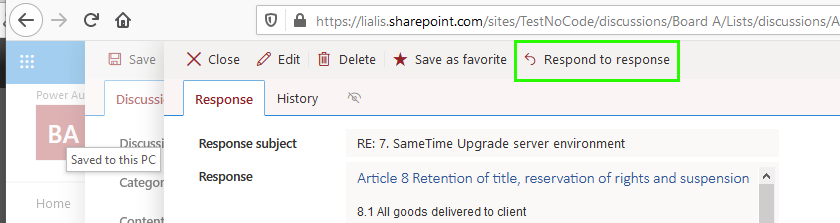
Users can easily create new response documents using the action button:
The Lialis SharePoint Teamroom supports an almost unlimited response-to-response hierarchy, similar to Lotus Notes.
The overlay mechanism ensures users always understand their position within the discussion structure:
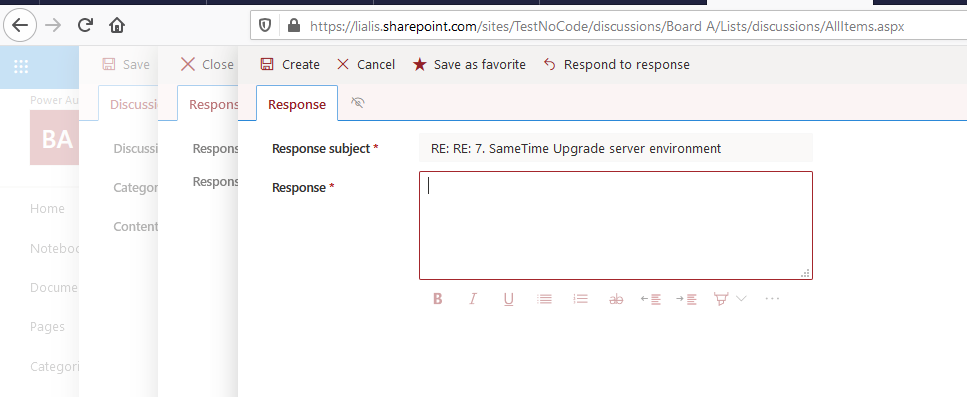
If a parent topic is deleted, all related response documents — including their attachments — are automatically removed as well. This guarantees structural consistency and prevents orphaned records.
With this approach, organizations can continue working with structured discussions in SharePoint exactly as they did in Domino — but now fully integrated into the Microsoft 365 platform.
SharePoint Collaboration and Versioning
Native SharePoint Collaboration and Versioning
All topics, response documents, and attached files inside the Lialis SharePoint Teamroom fully leverage standard Microsoft 365 and SharePoint Online capabilities. Nothing is stored in a proprietary layer — everything benefits from native SharePoint functionality out of the box.
This means every item and every document automatically includes:
- SharePoint version history for topics, responses, and documents
- Major and minor version control with full audit trail
- Document version comparison and restore capabilities
- Co-authoring in real time with multiple users
- Edit documents directly in Word Online, Excel Online, and PowerPoint Online
- Automatic save and recovery
- Search indexing across topics, responses, and attachments
- Check-in / check-out support if required
Users can open and edit documents directly in the Microsoft 365 online editors without downloading files. Changes are saved automatically, and version history ensures that previous versions can always be restored.
By combining structured Teamroom functionality with native SharePoint collaboration features, organizations benefit from the best of both worlds: the familiar Domino working model and the full power of Microsoft 365.
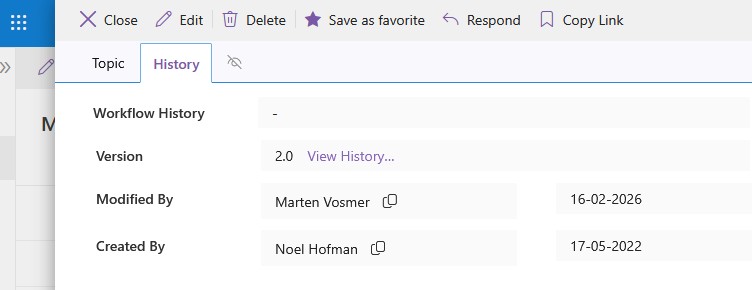
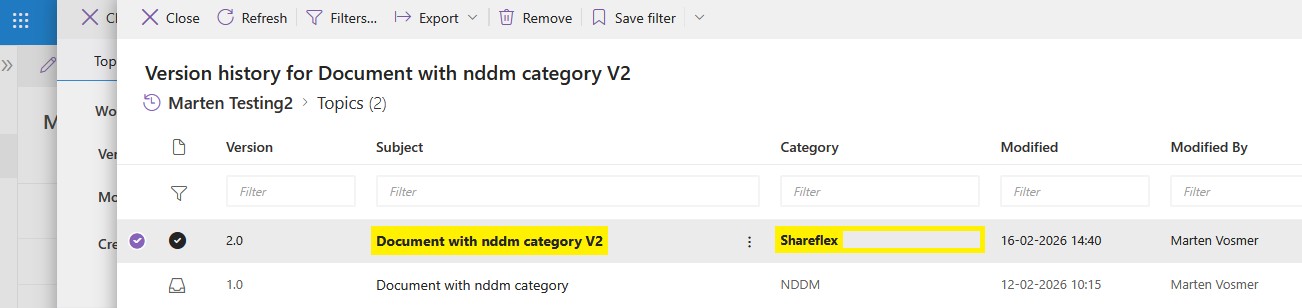
Each main topic and response document includes a full SharePoint version history for fields such as title, category, rich text content, and other metadata. As shown in the images below, users can easily open the version history, review previous changes, see who modified the item, and restore earlier versions when needed.
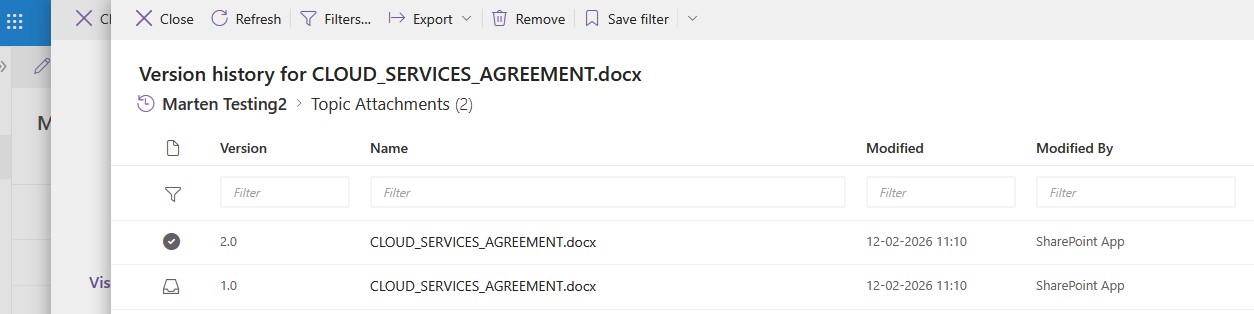
The same version history is available for all attached documents, as shown in the image below. Users can review document changes, compare versions, see who made modifications, and restore previous versions directly within SharePoint.
The Lialis SharePoint Teamroom not only replaces the Domino Teamroom functionality — it improves it. By running natively on SharePoint Online, the solution includes powerful Microsoft 365 collaboration features that were never available in Domino.
Documents can be opened directly in Word Online without downloading. Changes are saved automatically, multiple users can edit the same document at the same time, and sharing is handled securely through Microsoft 365 permissions. Real-time co-authoring, automatic versioning, cloud storage, and seamless integration with Teams and Outlook are all included out of the box.
This means organizations do not just migrate from Domino — they move to a more modern, collaborative, and productive working environment.
Content Migration
Lialis Q2 – Native Notes Teamroom Migration to SharePoint
To migrate existing Notes Teamroom content to the Lialis SharePoint Teamroom, we use our fully proprietary migration tool: Lialis Q2.
Unlike traditional migration approaches, Q2 does not require expensive third-party licenses. It is fully owned and developed by Lialis and operates using standard PnP PowerShell to securely transfer content into SharePoint Online.
What Q2 Migrates
Lialis Q2 migrates the complete structure and content of:
- Main topics
- Response documents
- Response-to-response hierarchies
- Notes rich text content
- Attachments, images, and tables
- Internal Notes document links (within the Teamroom scope)
All content is converted and uploaded directly into the SharePoint Teamroom application, preserving structure and relationships.
How It Works
Q2 runs from a Notes client environment and exports the Notes data locally before securely uploading it to SharePoint Online using PnP PowerShell. The migration process includes:
- Automatic Notes-to-Microsoft 365 user mapping
- Preservation of document authorship
- Support for substitute users where original accounts no longer exist
- Structured conversion aligned with the Shareflex Teamroom architecture
No Domino server migration components are required — the migration is executed client-side.
Built for Shareflex Teamroom Projects
Lialis Q2 is not a public download tool. It is exclusively used within our Shareflex Teamroom implementations to ensure a controlled, reliable, and fully supported migration process.
The Result
After migration, all Teamroom content is available inside the SharePoint Teamroom with:
- Full response hierarchy
- Preserved rich text structure
- Native SharePoint versioning
- Microsoft 365 online document editing
- Seamless integration into the client’s own Microsoft 365 tenant
With Lialis Q2, organizations can move from Domino to SharePoint without losing structure, content, or control — and without additional migration license costs.
For a detailed technical explanation of the migration process, configuration steps, and execution workflow, please refer to the Lialis Q2 Migration Manual.
The manual provides a step-by-step guide covering user mapping, SharePoint connection setup, database analysis, export configuration, and the actual migration to the Shareflex Teamroom.
If you would like access to the Q2 documentation or a guided walkthrough, please contact us.
Prerequisites
Prerequisites
Before migrating Notes Teamroom content to SharePoint, the Lialis SharePoint Teamroom application must be deployed in the client’s Microsoft 365 tenant.
Our Teamroom solution is built on the Shareflex business application platform. This platform provides the structured application framework required to support response hierarchies, advanced forms, workflows, metadata handling, and rich content presentation. Without Shareflex, it is not possible to recreate the structured Domino Teamroom behavior in SharePoint in a sustainable and user-friendly way.
Shareflex ensures:
Stable application architecture inside SharePoint Online
Structured data storage (Discussions, Responses, Documents)
Enterprise-grade security and governance
Long-term maintainability and scalability
Please note that Shareflex is a licensed platform and operates on an annual per-user subscription model. The Lialis SharePoint Teamroom application itself is included within this platform setup, but active Shareflex user licenses are required.
In short: the migration tool and the Teamroom solution are designed to work together within the Shareflex framework — this combination guarantees a controlled, future-proof replacement of Domino Teamrooms in Microsoft 365.